A button for the game
In Australia, I watch NBA through International League Pass. With several games on at once, switching in a browser or on a home theatre PC gets fiddly. So I put the day’s games on a Mirabox Stream Dock: scores under my fingers, one press to switch.
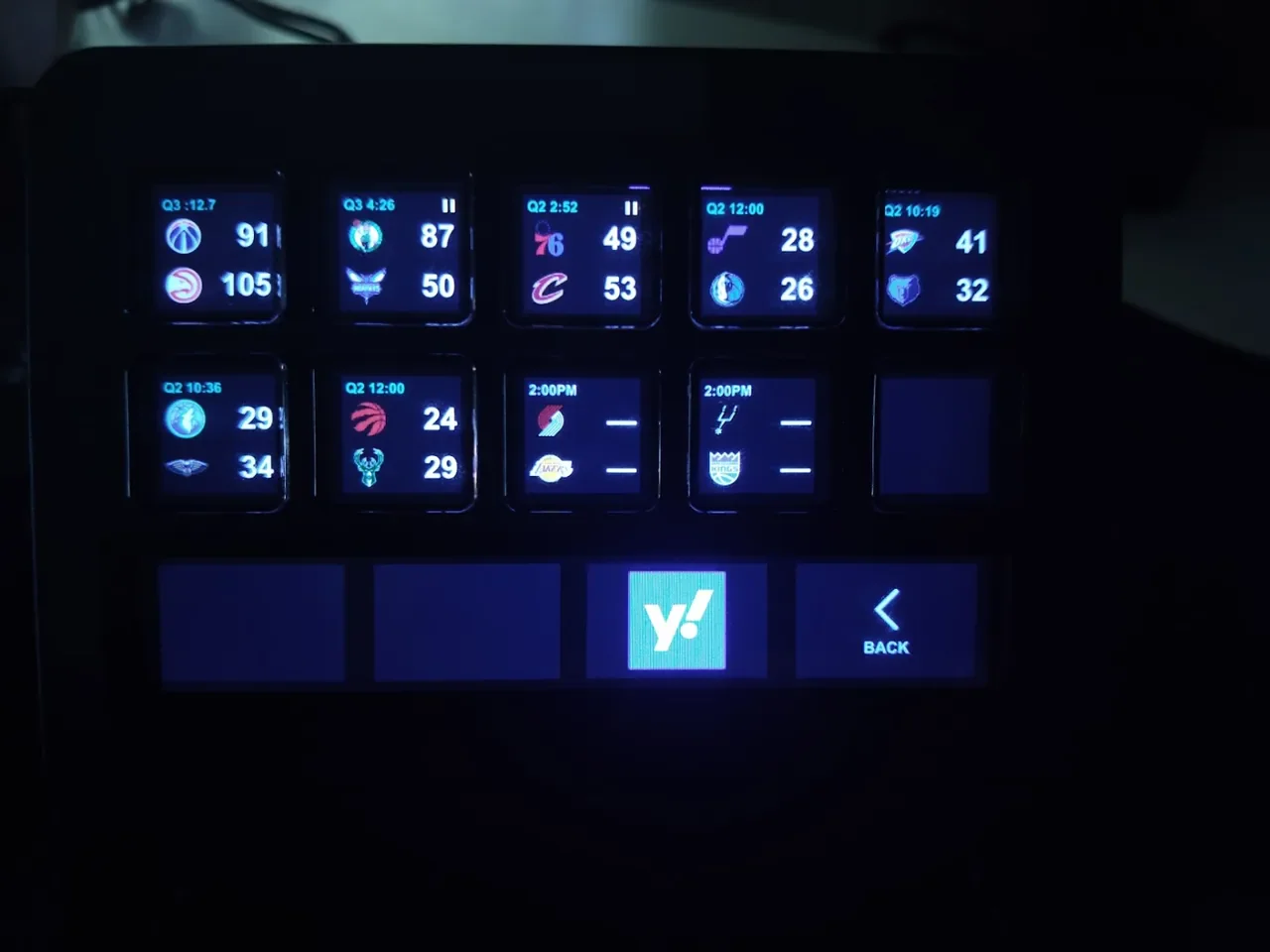
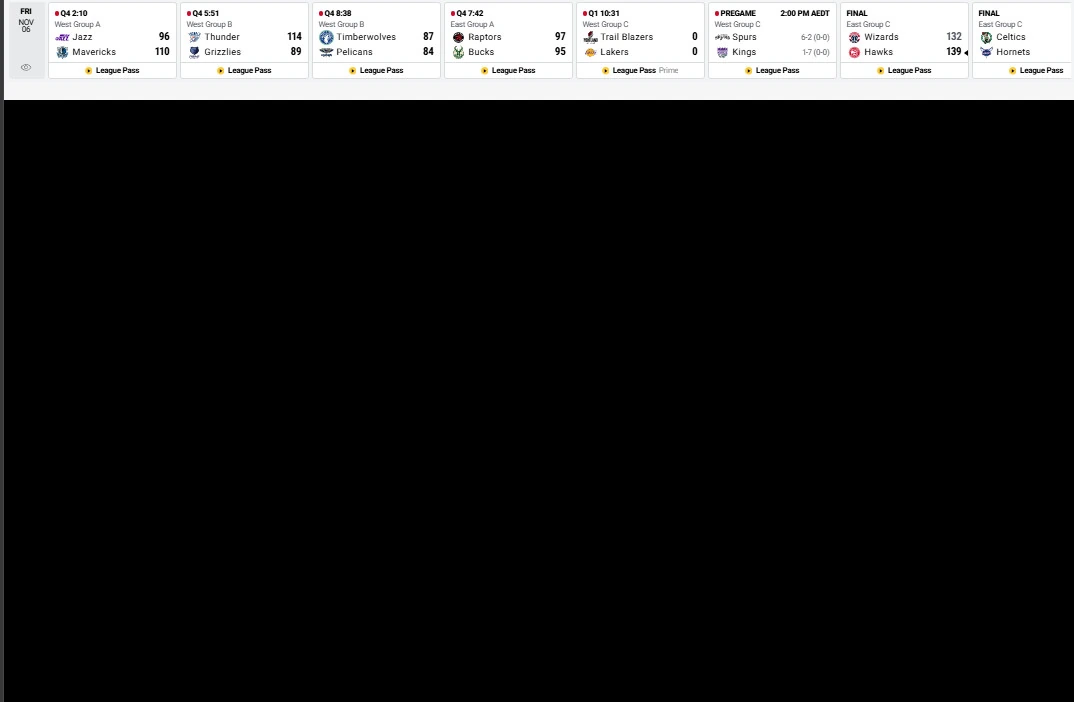
- Game
- Wizards @ Hawks · Final
- Service
- International League Pass
- Browser
- Brave · signed in
- Switched
- Stream Dock · one press
- Capture
- DRM blanks the video
What I built
- scores, clock, period
- game status: live or final
public JSON · no key · may refuse some IPs
- play-by-play: timeouts, quarter breaks, halftime
- Fantasy day: points, rebounds, assists, on court
- roster · player directory · schedule
SvelteKit · Svelte 5 · Node · PocketBase · Cloudflare in front
OAuth 2.0 · REST · JSON
- today's games in the strip
- live video, DRM protected
no API · the extension reads it
fantasy every 30 s
- merge
- browser game list + scoreboard
- order
- live first; finals to the end, score frozen
- pages
- 14 games a page; a dial turns the page
- states
- pause, close finish, stale after 45 s
- fantasy
- squad today, headshots, beacon
- draw
- one image per key; logos and headshots cached on disk
CommonJS · ws · @resvg/resvg-js (SVG to PNG) · Mirabox SDK 2 manifest
WebSocket · Node http + ws, inside the plugin
- reads the game strip, sends a snapshot
- clicks the game in NBA’s own selector
- reports back: done or failed
Manifest V3 · TypeScript · Vite · service worker · content scripts on nba.com
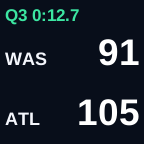
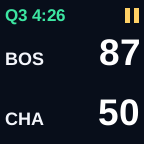
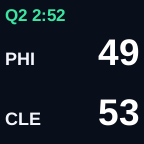
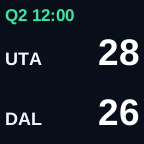
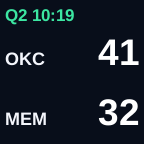
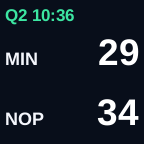
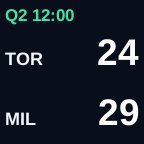
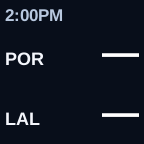
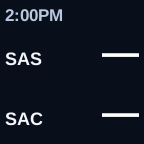
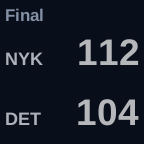
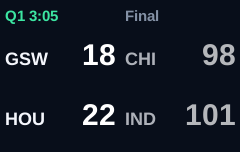
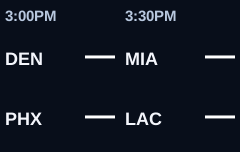
press: watch · hold 0.7 s: home · turn a dial: next page or the other game
With one press the following happens
- Controllerpress a game key; letting go within 0.7 s counts as a press
- Pluginchecks the browser list is under 45 s old, sends the game and tab
- Custom Chrome extensionclicks that game in NBA’s own selector
- NBA playersame tab, same view; the key shows a tick, or a warning after 15 s

Read the button
 91
 105
 87
 50112114132139
Five flashes: Q4 or overtime, under a minute left, five points or fewer. 500 ms on, 500 ms off, repeated every 30 seconds.
Final: end of the list, 30% faded, still clickable. Polling stops until you reopen the games page.
Breaks and Auto switch
A game key shows an amber pause icon during a timeout, a period break or halftime. Halftime and period breaks show in the game strip’s clock. Timeouts come from NBA play-by-play, read through BlatBlat one game every 2.5 seconds. With Auto on, the game in the browser is checked every 7.5 seconds, so a timeout shows 5 to 15 seconds after the whistle.
Auto switch uses that. When the game I am watching stops, the plugin moves the browser to another game that is in play: not in a break, not upcoming and not finished.
- Turning it on: the Back screen has two halves. Turn its dial right to pick AUTO, then tap. Turn it left to pick BACK again.
- Which game: the next game in play along the slate. Auto never leaves a game that is still in play, and it has no favourite team. If I switch away from a game myself, say a blowout, Auto puts that game last and only goes back to it when nothing else is on.
- Nothing in play: it stays where it is, and the AUTO half says NO GAMES with the reason.
- Game over: if the game finishes and nothing is in play, it goes to the live game closest to resuming. A timeout comes before a period break, and a period break before halftime.
- The game it follows: that key gets a green corner, under the pause icon.
- It only switches when the game stops, and switches are at least 20 seconds apart.
Where each fact comes from
| Fact | Source | How often |
|---|---|---|
| Teams, score, clock text, the game’s link | League Pass game strip, read by the Chrome extension | every 15 seconds |
| Period, clock, live or final | NBA’s public scoreboard JSON | every 20 seconds |
| Timeouts and period ends | NBA play-by-play, read through BlatBlat | one game every 2.5 seconds; each live game every 15 seconds; the watched game every 7.5 seconds with Auto on |
The logic
pauseReason(game):
  if game is not live, or is final:            no pause
  if the clock text says Half:                 halftime
  if the clock text says End Q1, End Q3 ...:   period break
  if the clock text says Timeout:              timeout
  if the clock text says Official review:      stoppage
  if the play-by-play is over 45 s old:        use the clock text only
  take the newest play-by-play events at the current game clock,
  skipping substitutions and stoppage notes:
    a timeout, under 5 minutes old:            timeout
    end of Q2, under 25 minutes old:           halftime
    end of any other period, under 5 minutes:  period break
    anything else (a shot, a foul, a rebound): no pause

every second, while Auto is on:
  current = the game open in the browser tab
  if current is in play:                       stay
  reason = pauseReason(current), or final if it has finished
  options = games in play (live, no pause, not upcoming, not final)
            in slate order after current;
            games I switched away from by hand go last
  if no options and reason is final:
    options = live games in a break: timeout, then stoppage,
              then period break, then halftime
  if no options:                               stay; show NO GAMES and why
  if under 20 s since the last switch:         wait
  select options[0] through the extension, as a key press would
  mark that game's key with the green corner
Yahoo Fantasy: keeping my own score
My squad, with pictures and points. Green means a game today; flashing green means the live feed confirms they are on court.
Build your own
Time: an afternoon to build, plus Yahoo’s approval wait. Skill: comfortable writing JavaScript. Cost: A$172.95 once, plus League Pass.
Supplies
| Item | Cost | Notes |
|---|---|---|
| Mirabox N4 or N4E Stream Dock | A$172.95 | My order total. Other controllers are listed below |
| Windows 10 or 11 PC or HTPC, or Ubuntu Linux | A$0 | The computer you watch on, with a spare USB port. On Ubuntu, see Step 3 |
| International NBA League Pass | from A$24.99 a month | Bought on nba.com in Australia |
| Brave browser | A$0 | Chrome and Edge also run the extension |
| Yahoo account in a Fantasy league | A$0 | Only for the Fantasy key |
| Cloudflare account | A$0 | Only if you host your own data |
Choose a controller
What I use
- Mirabox N4 / N4EPaid A$172.95Device details
Alternatives
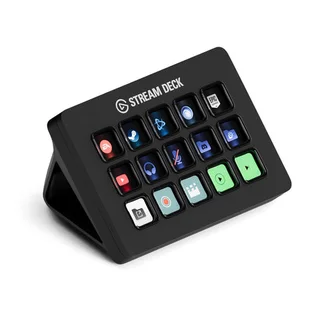 Stream Deck MK.2A$239 · fifteen keysJB Hi-Fi · Elgato adapter required
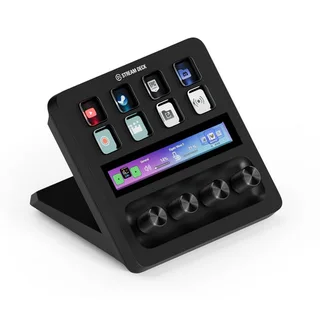 Stream Deck +A$339 · eight keys, four dialsJB Hi-Fi · Elgato adapter required
Mirabox price verified from my order. Alternative prices checked 7 November 2026; delivery extra where applicable. Product images: JB Hi-Fi.
Tools
- Node.js 20 or later, with npm. Bun also works for installing the packages
- Mirabox’s Stream Dock app, version 2.9 or later
- Mirabox’s plugin SDK guide
What each part is built with
| Part | Framework | What you write |
|---|---|---|
| Controller plugin | Node.js 20, CommonJS, the ws WebSocket package, @resvg/resvg-js |
A manifest.json in Mirabox SDK 2 format, and one script that answers key presses, draws each key as an SVG and sends it as a PNG |
| Local bridge | Node’s built-in http module plus ws, inside the plugin |
A small server on this computer only, with a shared token and a check of the extension’s ID |
| Chrome extension | Manifest V3, TypeScript, Vite | A service worker that holds the bridge connection, and content scripts on nba.com that read the game strip and click a game |
| Data service | SvelteKit (Svelte 5) on Node, PocketBase, Fly.io, Cloudflare | Endpoints for play-by-play and Fantasy, cached and stamped with the time they were read |
| Yahoo Fantasy | OAuth 2.0, REST, JSON | A token exchange once, then roster and player reads |
| Stream Dock app | Mirabox, free, version 2.9 or later | Nothing. It loads the plugin and passes images and presses over a WebSocket |
Step 1: Buy and plug in the controller A$172.95
I use a Mirabox N4-family Stream Dock: ten screen keys in two rows of five, with four wide touch keys and dials underneath.
- Order the controller. Any controller with screen keys can do this job.
- Plug it into a USB port on the computer you watch on.
Check: the keys light up.
Step 2: Subscribe to League Pass from A$24.99 a month
- Buy International League Pass on nba.com. Monthly and season passes are sold.
- Install Brave and sign into League Pass in it.
Check: a game plays in the browser.
Tip: prices change each season. Check NBA’s page before you buy.
Step 3: Install the Stream Dock app A$0
- Download the Stream Dock app from Mirabox and install it on the same computer.
- Open the app.
Check: the app shows your controller with empty keys.
On Ubuntu Linux: Mirabox’s app runs on Windows and macOS only. OpenDeck runs Stream Deck SDK plugins on Ubuntu, and community plugins add some Mirabox and Ajazz models. Check your model is supported before you buy. I have not tested this.
Using an Elgato Stream Deck instead? Install Elgato’s free Stream Deck app. The plugin then needs an adapter for Elgato’s SDK, which I have not built or tested.
Step 4: Choose your data A$0
The plugin reads three feeds:
- Scores and clocks: NBA’s public scoreboard JSON, every 20 seconds. No key is needed.
- Timeouts and breaks: play-by-play, one game every 2.5 seconds, each live game every 15 seconds.
- Fantasy: your roster and today’s stats, every 30 seconds.
- Connect to BlatBlat with authorised access, or create a Cloudflare Worker. Workers Free allows 100,000 requests a day with 10 ms of CPU per request, which is enough for one controller.
- Return whole snapshots, each with the time it was read.
Check: your scores address opens in a browser and returns today’s games.
Tip: treat anything older than 45 seconds as stale and say so on the key. Old data must never look live.
Step 5: Connect Yahoo A$0
Only the Fantasy key needs this. Start it first: approval is not instant.
- Apply for access.
- Sign the Personal Use API Access and Use Agreement.
- Confirm permissions.
- Create an app and authorise your own account with OAuth 2.0. Keep the refresh token on your server, never in the plugin.
- Pick your league and team, and note the team key.
Check: your server lists your roster.
Step 6: Build the controller plugin A$0
- Install Node.js 20 or later.
- Make a folder named
com.example.nbadock.sdPlugin. Putmanifest.json,plugin.cjsand animgfolder in it. Theimgfolder holdsicon.pngand a blank key image,blank-key.png. - In that folder, run
npm init -y, thennpm install ws @resvg/resvg-js. - Write
manifest.json:
{
  "UUID": "com.example.nbadock",
  "Name": "NBA Dock",
  "Author": "You",
  "Description": "Today's NBA games on the keys",
  "Version": "1.0.0",
  "SDKVersion": 2,
  "CodePath": "plugin.cjs",
  "Nodejs": { "Version": "20" },
  "Software": { "MinimumVersion": "2.9" },
  "OS": [{ "Platform": "windows", "MinimumVersion": "10" }],
  "Icon": "img/icon.png",
  "Category": "NBA Dock",
  "CategoryIcon": "img/icon.png",
  "Actions": [{
    "UUID": "com.example.nbadock.game",
    "Name": "NBA game",
    "Icon": "img/icon.png",
    "Controllers": ["Keypad", "Knob", "SecondaryScreen"],
    "States": [{ "Image": "img/blank-key.png", "ShowTitle": false }]
  }]
}
- Write
plugin.cjs. The app starts it with-port,-pluginUUIDand-registerEventarguments. Connect to the app on that port, register, then answer each key with an image:
const WebSocket = require('ws');
const { Resvg } = require('@resvg/resvg-js');

const args = {};
for (let i = 2; i < process.argv.length; i += 2) {
  args[process.argv[i].replace(/^-+/, '')] = process.argv[i + 1];
}

const dock = new WebSocket('ws://127.0.0.1:' + args.port);
const send = message => dock.send(JSON.stringify(message));

dock.on('open', () => send({ event: args.registerEvent, uuid: args.pluginUUID }));

dock.on('message', raw => {
  const { event, context } = JSON.parse(raw);
  if (event !== 'willAppear' && event !== 'keyDown') return;
  const svg = `<svg xmlns="http://www.w3.org/2000/svg" width="144" height="144">
    <rect width="144" height="144" fill="#000"/>
    <text x="72" y="84" fill="#fff" font-size="32" text-anchor="middle">WAS 112</text>
  </svg>`;
  const png = new Resvg(svg).render().asPng();
  send({ event: 'setImage', context, payload: { image: 'data:image/png;base64,' + png.toString('base64'), target: 0 } });
});
- Replace the test key with real games: draw logos, scores and the clock, and handle
keyDown,keyUpanddialRotate.
Check: after Step 10, each key shows “WAS 112”.
Tip: check your model’s key size in Mirabox’s SDK guide and draw at that size.
Step 7: Add the local bridge A$0
The plugin and the browser extension talk through a small server inside the plugin.
- In
plugin.cjs, start a server with Node’shttpmodule. Bind it to127.0.0.1only, on a port you choose. - Attach a
wsWebSocket server at/bridge. - Generate a random 64-character token once. Save it in a file beside the plugin, kept out of Git, and in the extension’s local storage.
- Refuse any connection whose Origin is not your extension’s
chrome-extension://address, or whose first message lacks the token. - Give each game switch 15 seconds to answer. After that, show a warning on the key.
Check: a web page cannot connect to the bridge.
Warning: never bind to 0.0.0.0. Anything on your network could then switch your games.
Step 8: Build the Chrome extension A$0
I write mine in TypeScript and bundle it with Vite. Plain JavaScript works too.
- Make a folder with
manifest.json,worker.jsandcontent.js. - Write
manifest.json:
{
  "manifest_version": 3,
  "name": "NBA Dock bridge",
  "version": "1.0.0",
  "permissions": ["tabs", "scripting", "storage"],
  "host_permissions": ["*://*.nba.com/*"],
  "background": { "service_worker": "worker.js" },
  "content_scripts": [{ "matches": ["*://*.nba.com/*"], "js": ["content.js"] }]
}
- In
worker.js, open a WebSocket to the bridge and send the token first. Then send a snapshot of the League Pass tab’s game strip every 15 seconds. - In
content.js, read each game in the strip: teams, score, clock and the game’s link. When the plugin asks for a game, click that game’s own link in NBA’s game selector. - Send back “done” or “failed”.
Tip: never change the tab’s address or the player’s fullscreen mode yourself. Clicking NBA’s own link keeps the current view where it can.
Step 9: Load the extension
- Open
brave://extensions(orchrome://extensions). - Turn on Developer mode, top right.
- Drag the extension’s folder from File Explorer onto the page. Or click Load unpacked and pick the folder.
- Pin the extension.
Check: the extension appears in the list with no errors.
Step 10: Install the plugin and place the keys
- Close the Stream Dock app.
- Copy the
.sdPluginfolder into%APPDATA%\HotSpot\StreamDock\plugins. - Open the app. The plugin’s actions appear in the list on the right.
- Drag NBA game onto each of the ten keys and onto the touch keys underneath.
- If you added a launcher action, drag it onto a key on your Home page to open the games.
Check: open a League Pass games page. The keys fill with today’s games within 15 seconds.
Step 11: Add the behaviour A$0
- Fantasy key: shows your squad on the same keys. Tap it again to return to the games.
- Back key: two halves. Turn its dial to pick BACK or AUTO, then tap. BACK returns Home.
- Hold for Home: holding any game key for 0.7 seconds returns Home.
- Dials: turning a dial changes page, or picks the other game on a two-game touch key.
- Pause icon: shown for timeouts, period breaks and halftime.
- Close-game alert: in Q4 or overtime, with a minute or less left and five points or fewer in it, the key flashes five times, 500 ms on and 500 ms off, every 30 seconds.
- Finals: move to the end, fade to 30% and stop polling.
- Overtime: yellow dashes run around the edge of a game’s key for the whole of overtime.
- Auto switch: when the game in the browser hits a timeout, period break or halftime, or finishes, select a game that is in play. Take the next game along the slate. Never leave a game that is in play. Put a game the user switched away from by hand last. With nothing in play, stay and show NO GAMES. Mark the followed game’s key with a green corner. Keep switches at least 20 seconds apart.
Step 12: Test it
Tick each line:
- The keys fill with today’s games within 15 seconds.
- A press switches the player to that game.
- Holding a key for 0.7 seconds returns Home.
- Turning a dial changes page.
- Closing the browser shows a warning on the keys within 45 seconds.
- The Fantasy key shows your squad, and Back returns Home.
- With Auto on, a timeout in the game you are watching moves the browser to a game in play within about 20 seconds.
- With every game in a break, Auto stays and the AUTO half says NO GAMES.
Total: A$172.95 once, plus League Pass. Hosting adds nothing while it stays inside free tiers.